2023 eWay Demo Local Site
The following is a demonstration of the user experience while making a pledge in a customized eWay site.
The site layout represented in this demo is the template for a customized eWay site, and workplaces that partner with United Way may choose to further customize their site and user experience.
Donors outside of the United Way of Greater Milwaukee & Waukesha County's region will see more generalized United Way collateral.
Some workplace campaigns require self-registration. For a demonstration of a workplace campaign site that requires users to self-register, click here.
To jump to a specific section of the pledging process, click one of the following links:
- Logging In
- Home
- Home Page Links
- Making a Pledge
- Payment Types
- Designating Your Pledge
- Designation Options
- Donor Information
- Confirmation
- Ambassadors
If you are a Donor with additional questions about your pledge, please contact the Donor Help Desk at donor@unitedwaygmwc.org.
If you are an Ambassador with additional questions about your campaign, please contact the Donor Services help desk via this form.
1. Logging In
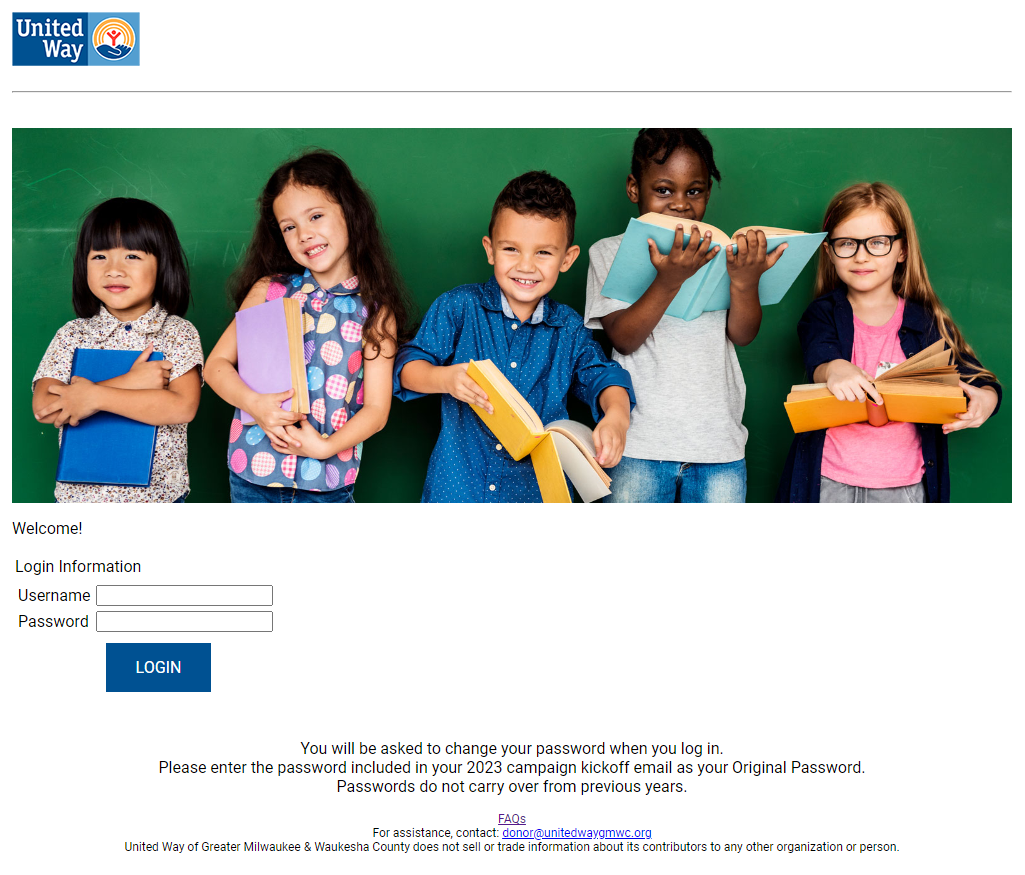
Users will be given a link with a unique URL that is specific to their workplace campaign, such as
https://donor.unitedeway.org/login.aspx?campaign=UNIQUECAMPAIGNCODE
While the URL may be consistent with prior years' links, credentials do not carry over from previous years. Please log in with the Username and Password provided in your workplace campaign's kickoff materials.
Users participating in a workplace campaign that utilizes Single Sign-On will be automatically directed to their home page.
* Tip - Users may be prompted to change their password when logging in. When the site asks for your Original Password, it is referring to the new password created for the 2023 campaign that was likely provided in your kickoff materials.
2. Home
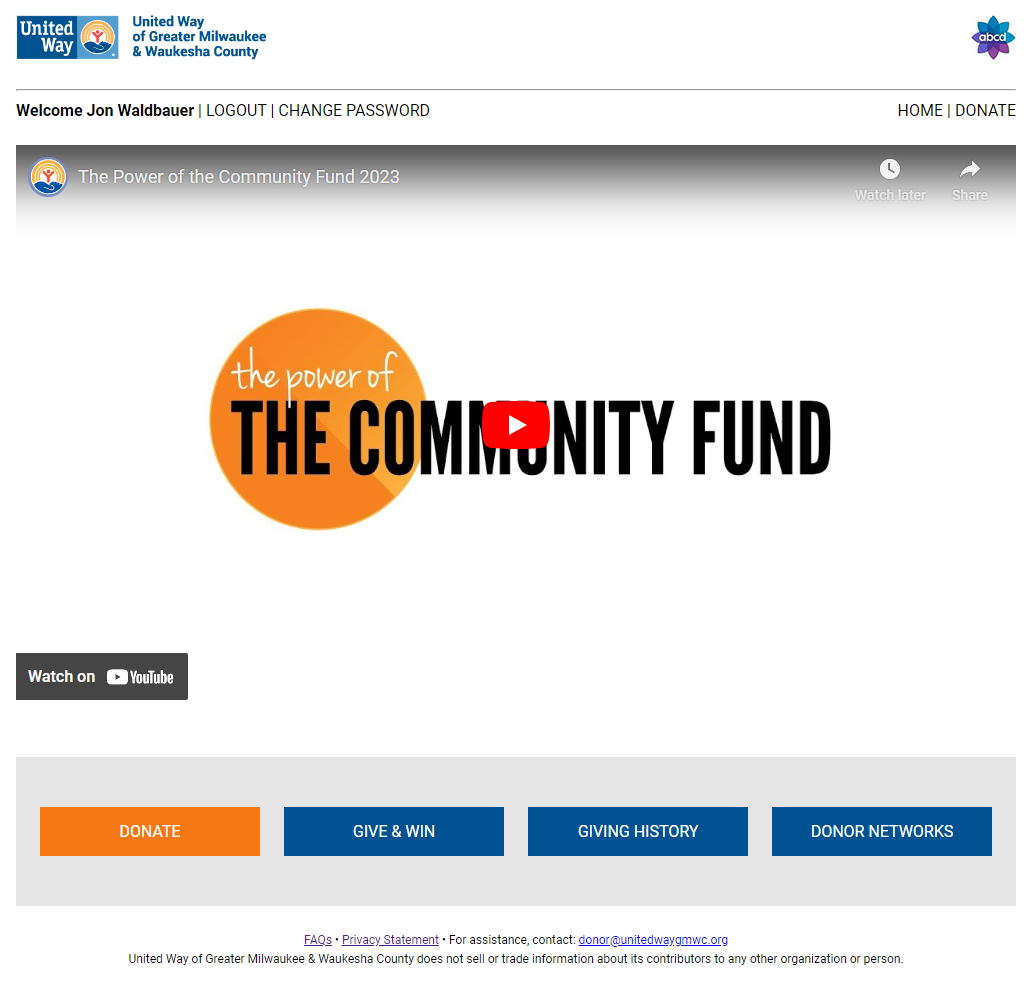
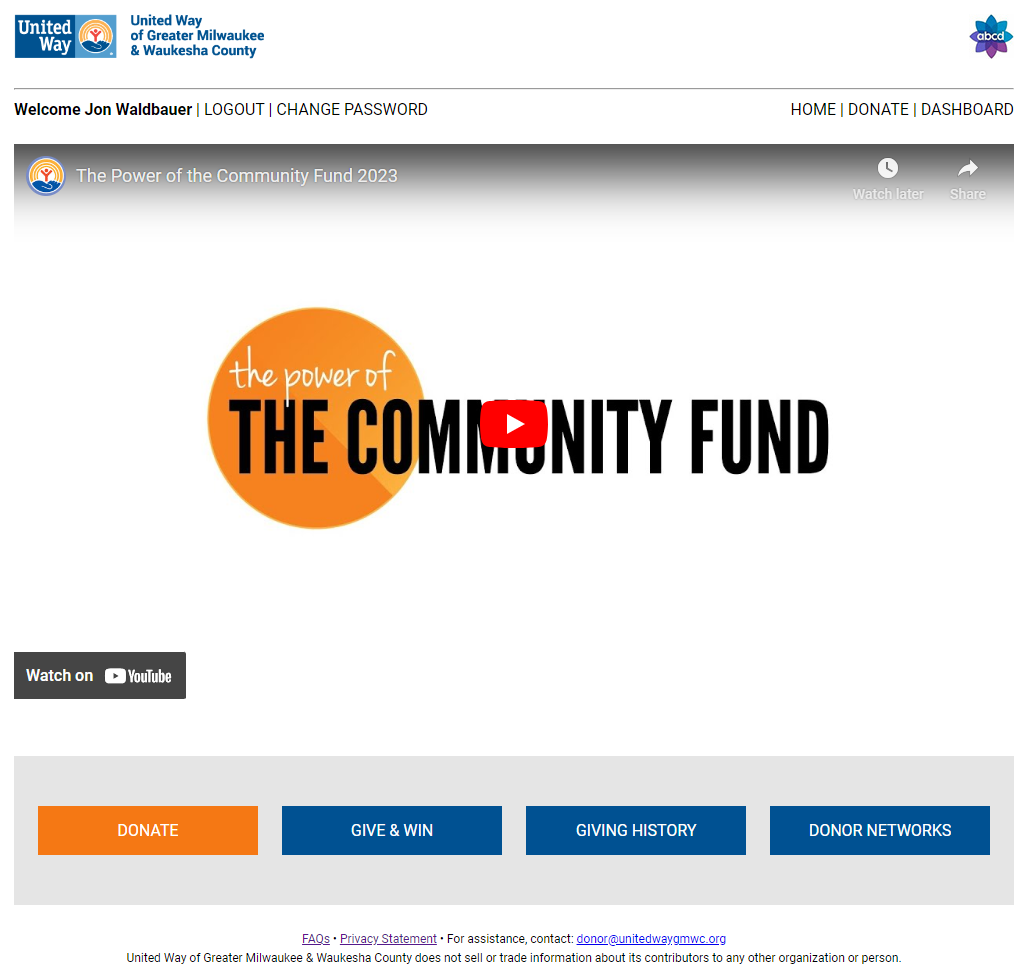
When a user logs in to their workplace campaign pledge site, they will see a video for the United Way of Greater Milwaukee & Waukesha County's Community Fund.
3. Home Page Links
Donate
Proceed to the pledging process.
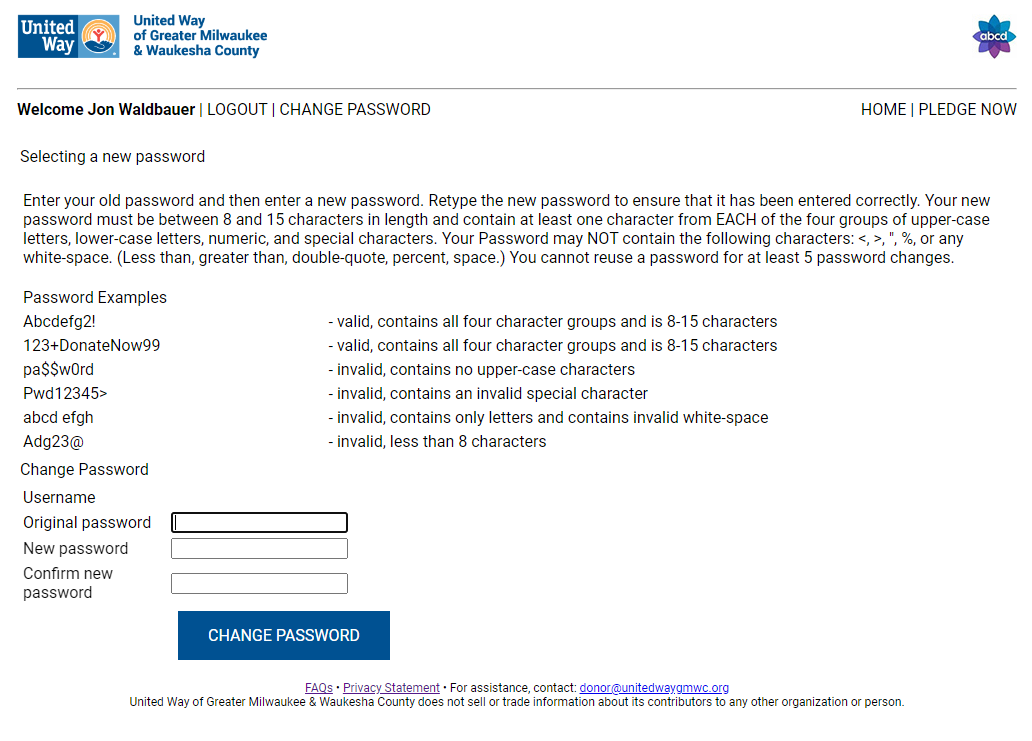
Change Password
Users logging in will be asked to change their passwords. Specific password requirements are listed on the page.
* Tip - Credentials do not carry over from previous years' campaigns. When the site asks for your Original Password, it is referring to the new password created for the 2023 campaign that was likely provided in your kickoff materials.
Give & Win
This link opens a PDF detailing our Give & Win Sweepstakes, open to donors in the United Way of Greater Milwaukee & Waukesha County's region that make a new or increased donation by Friday, November 10, 2023 at 5:00 p.m. CST. Full details and rules can be found here.
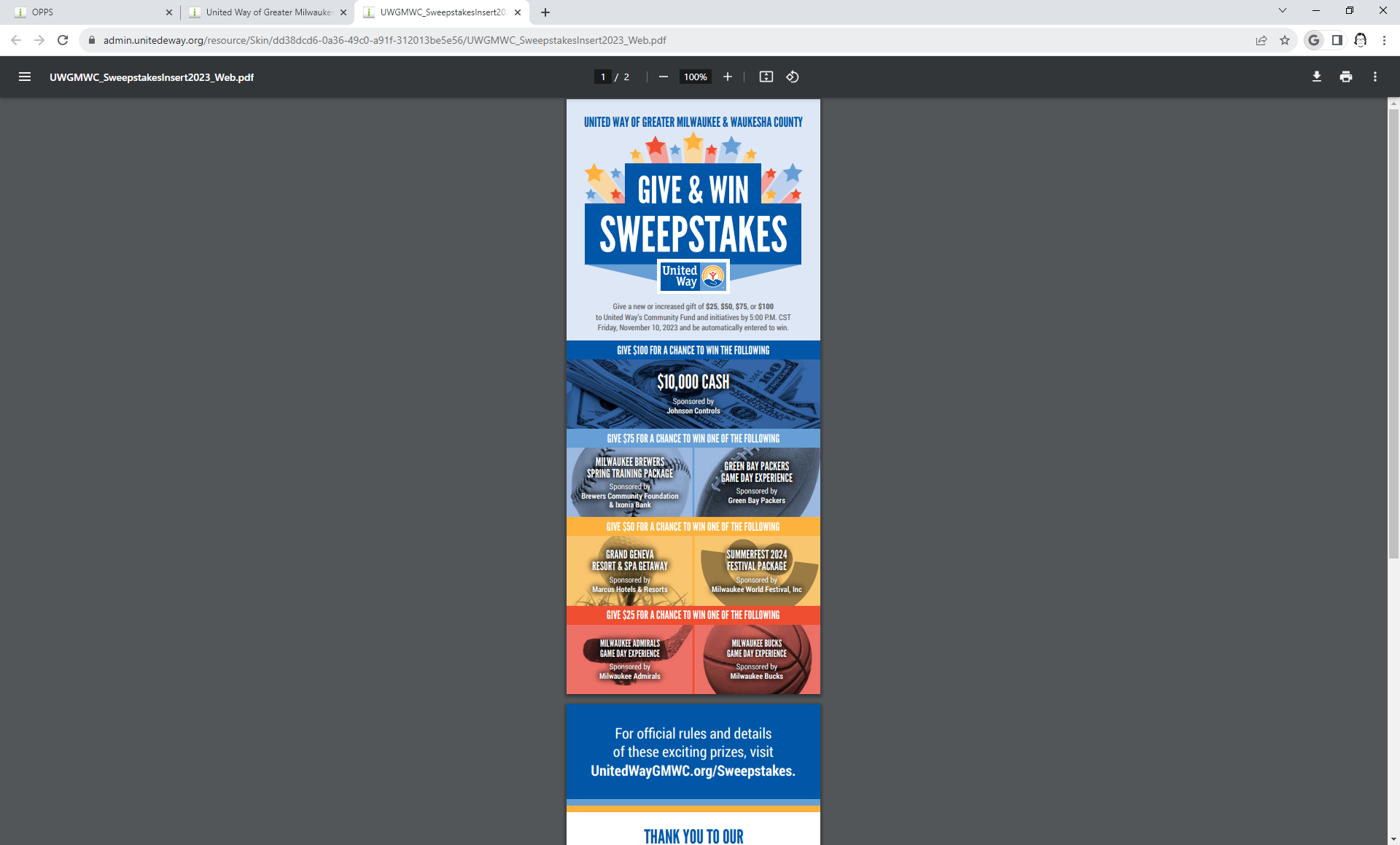
The Give & Win link will be removed from local eWay sites following the conclusion of the Sweepstakes.
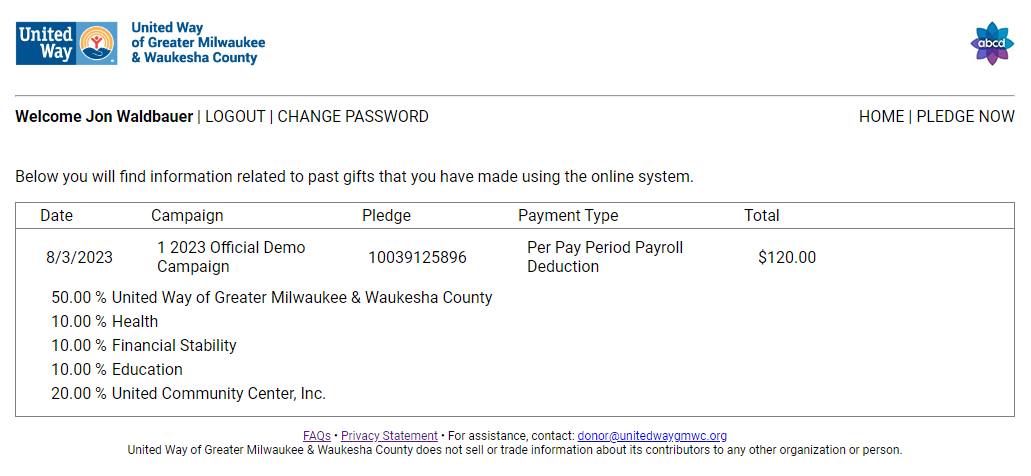
Giving History
Users who are new to pledging through the eWay site will not see previous donations in the Giving History.
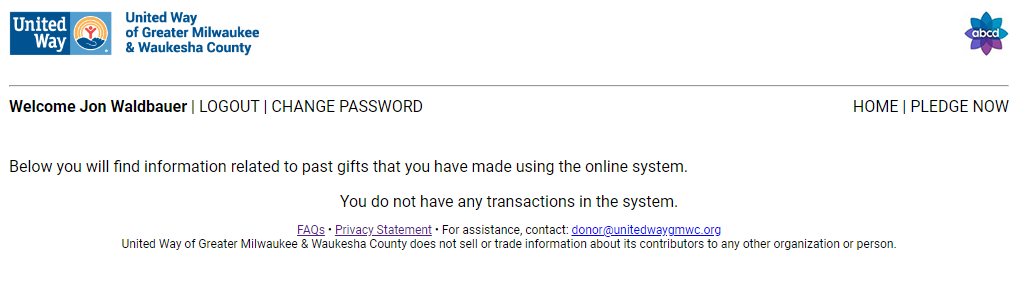
Donors who have participated in previous campaigns through an eWay site will see previous gifts, including a breakdown of designations.
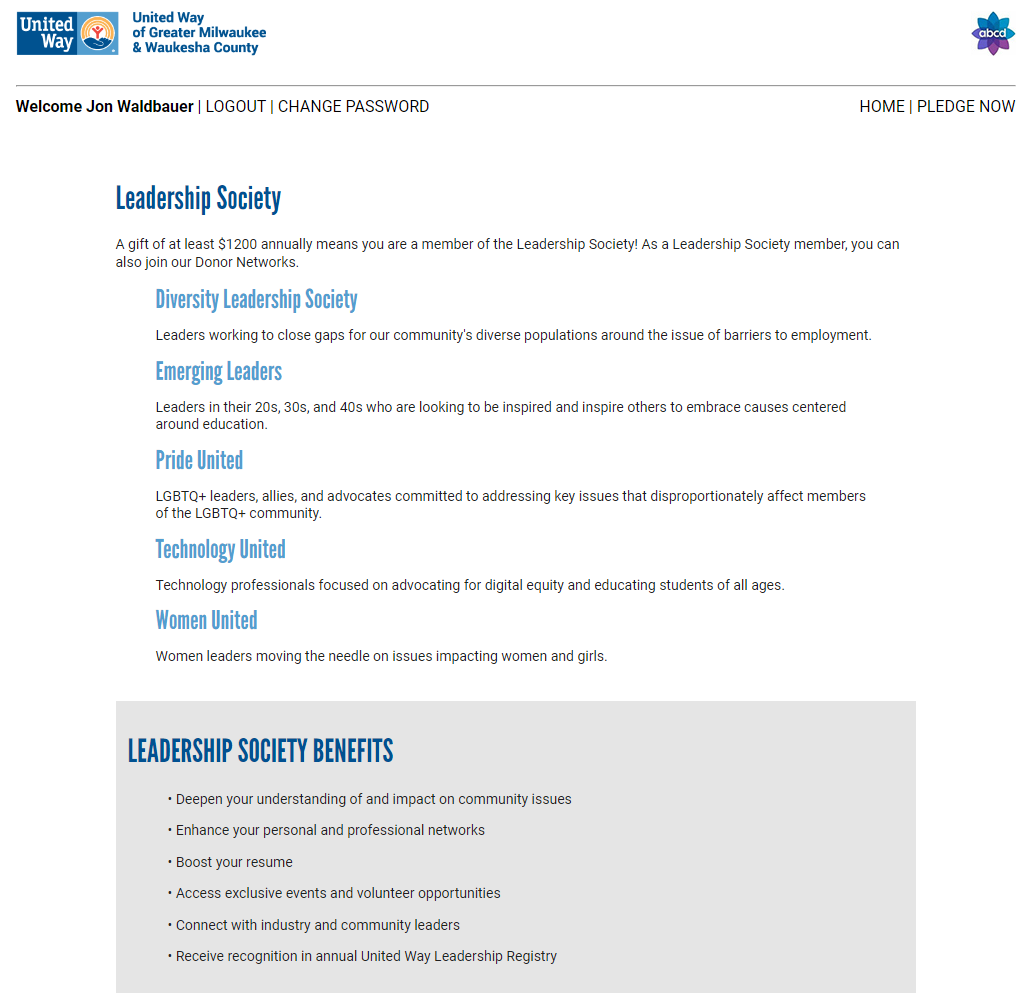
Donor Networks
Donors in the United Way of Greater Milwaukee & Waukesha County's region that participate at a Leadership Level of $1,200 or more annually that want to connect with like-minded donors can learn more about our Donor Networks.
Privacy Statement
Donor Assistance
Questions about pledges can now be directed to our Donor Help Desk at donor@unitedwaygmwc.org.
* Tip - The Donor Services help desk is still available for ambassadors who have questions about their workplace campaigns. Please use the form on this page to do so.
4. Making a Pledge
Users will see payment type options specific to their workplace's preferences.
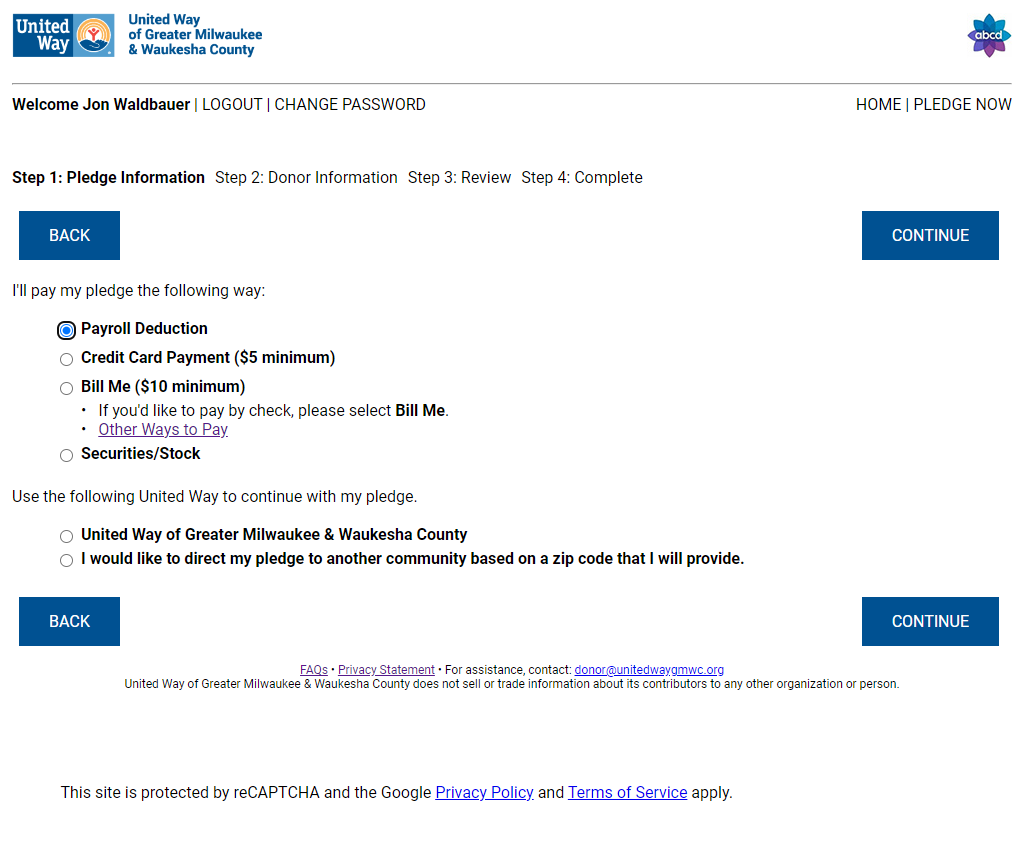
5. Payment Types
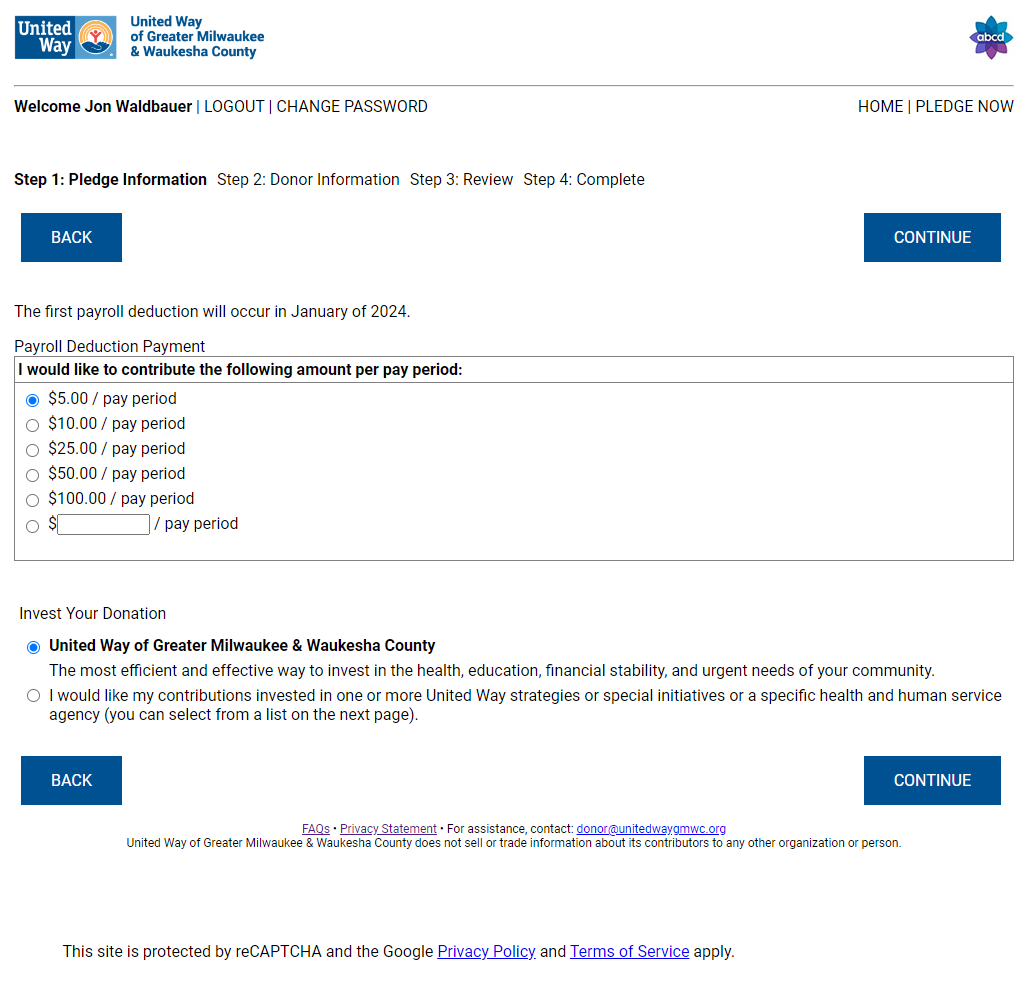
Payroll Deduction
Once a Donor has selected Payroll Deduction, they can choose their regional United Way and continue to select the amount of their pledge. Payroll deduction options are specific to the user's workplace preferences.
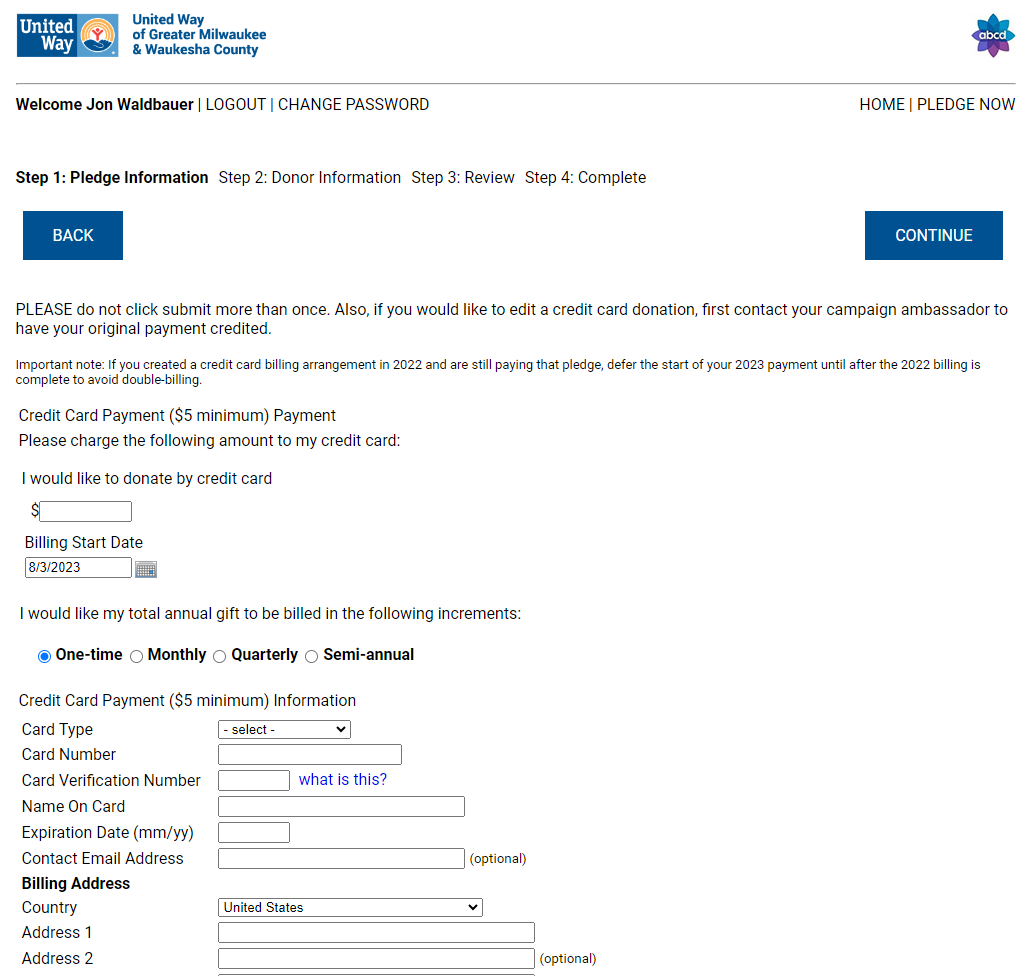
Credit Card
Once a Donor has selected Credit Card, they can choose their regional United Way and continue to select the amount of their pledge. Credit Card pledges can be paid immediately or billed monthly, quarterly, or annually.
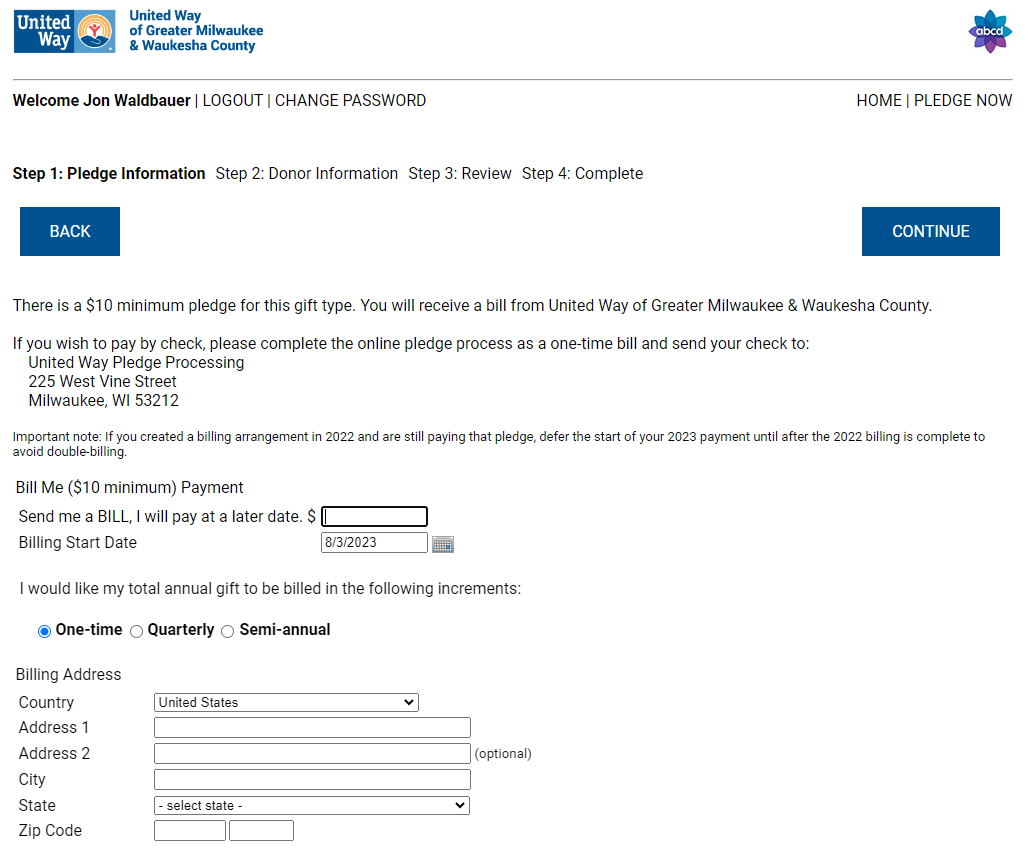
Bill Me
Once a Donor has selected Bill Me, they can choose their regional United Way and continue to select the amount of their pledge. Donors can pay by check immediately or select their billing schedule.
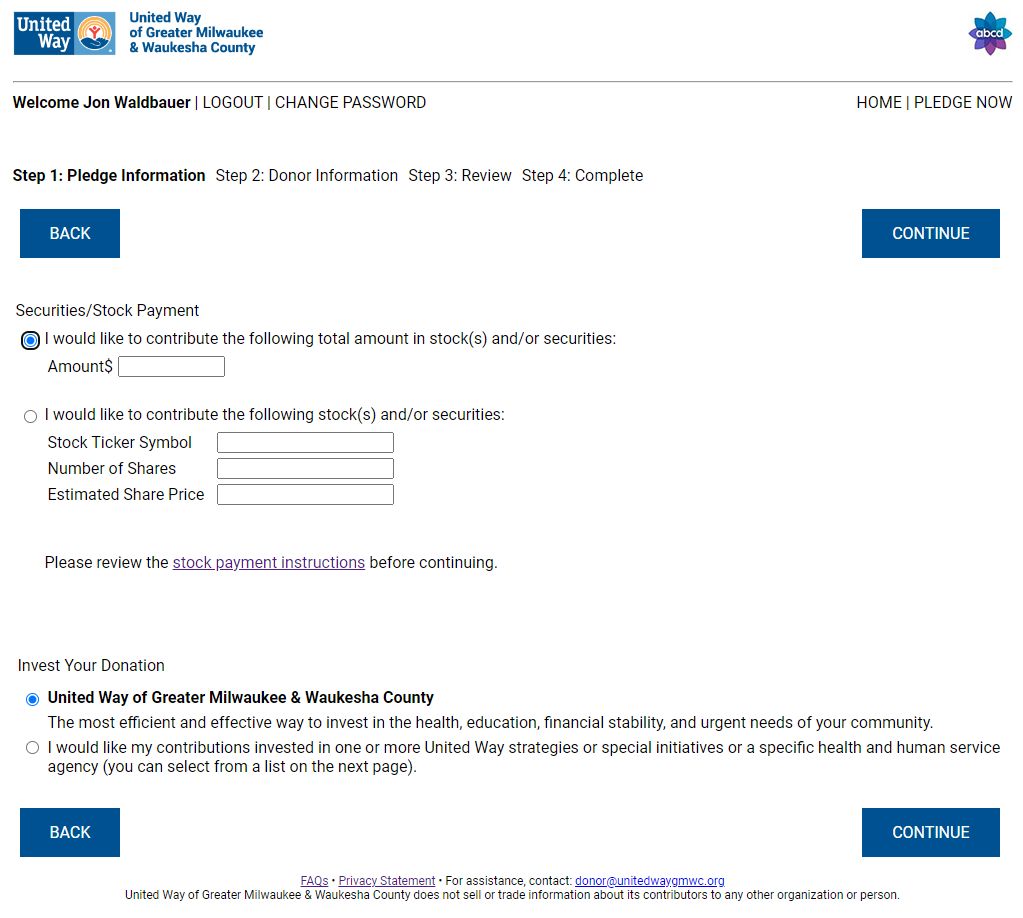
Securities/Stock
Once a Donor has selected Securities/Stock, they can choose their regional United Way and continue to select the amount of their pledge. Securities/Stock options can be provided, and additional information is available to assist with the process.
6. Designating Your Pledge
After selecting their Payment Type, the user can select the United Way to which they'd like to align.
If the user would like to align with a different United Way than they are automatically shown, they can enter their zip code.
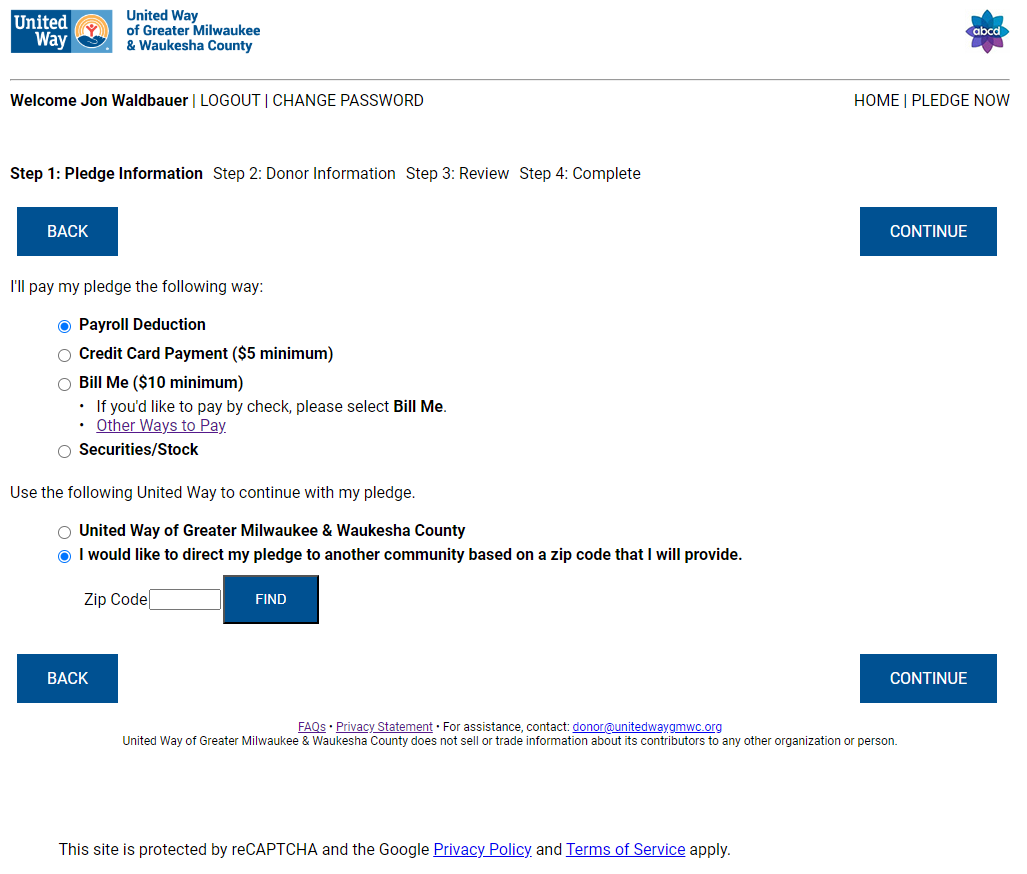
The eWay site will geographically match their zip code to the appropriate United Way.
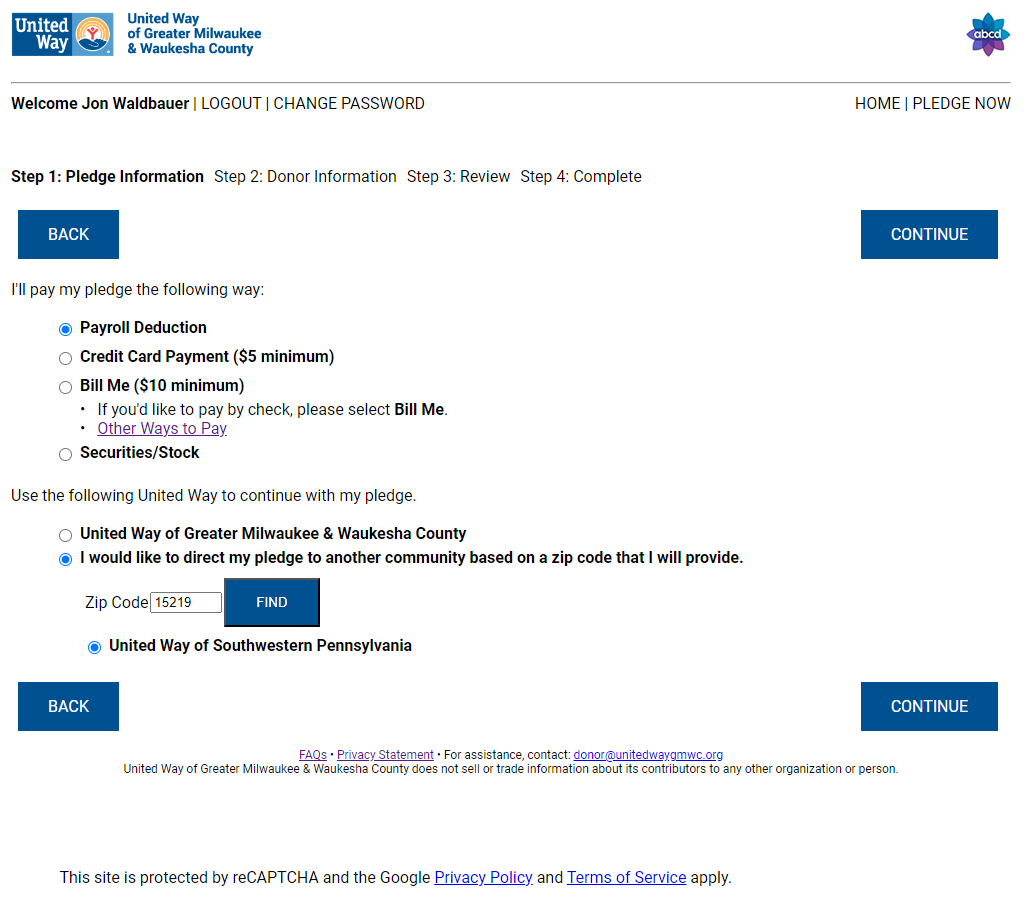
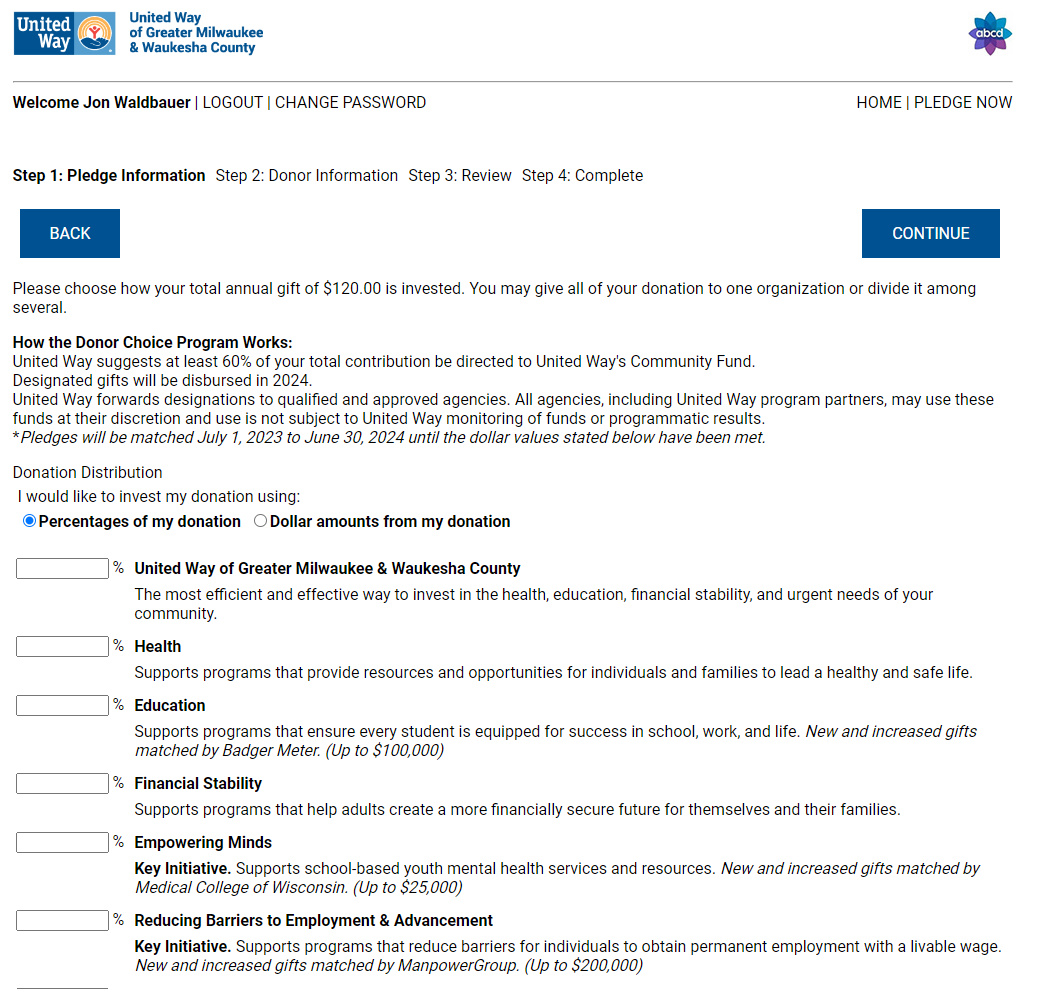
Users will see the full selection of designation options specific to their local United Way on the next screen.
7. Designation Options
United Way's Community Fund, Focus Areas, & Key Initiatives
Gifts to United Way’s Community Fund are invested in local nonprofits for short-term relief and long-term success focusing on issues that are often interrelated–issues like health concerns, educational road blocks, and financial struggles.
Locate An Agency
To designate a pledge to a United Way Agency Partner, CHC: Creating Healthier Communities, or a popular agency that is not affiliated with the United Way, scroll to the bottom of the page and click Locate An Agency.
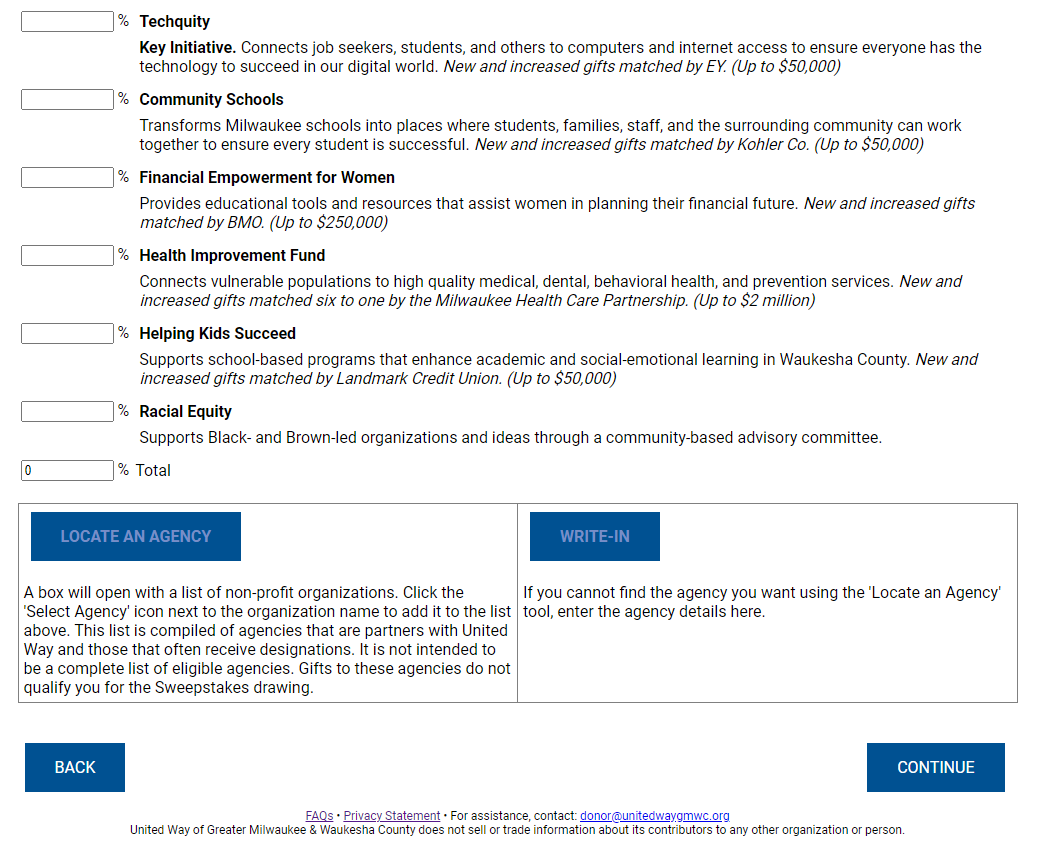
Select a list to choose the preferred nonprofit.
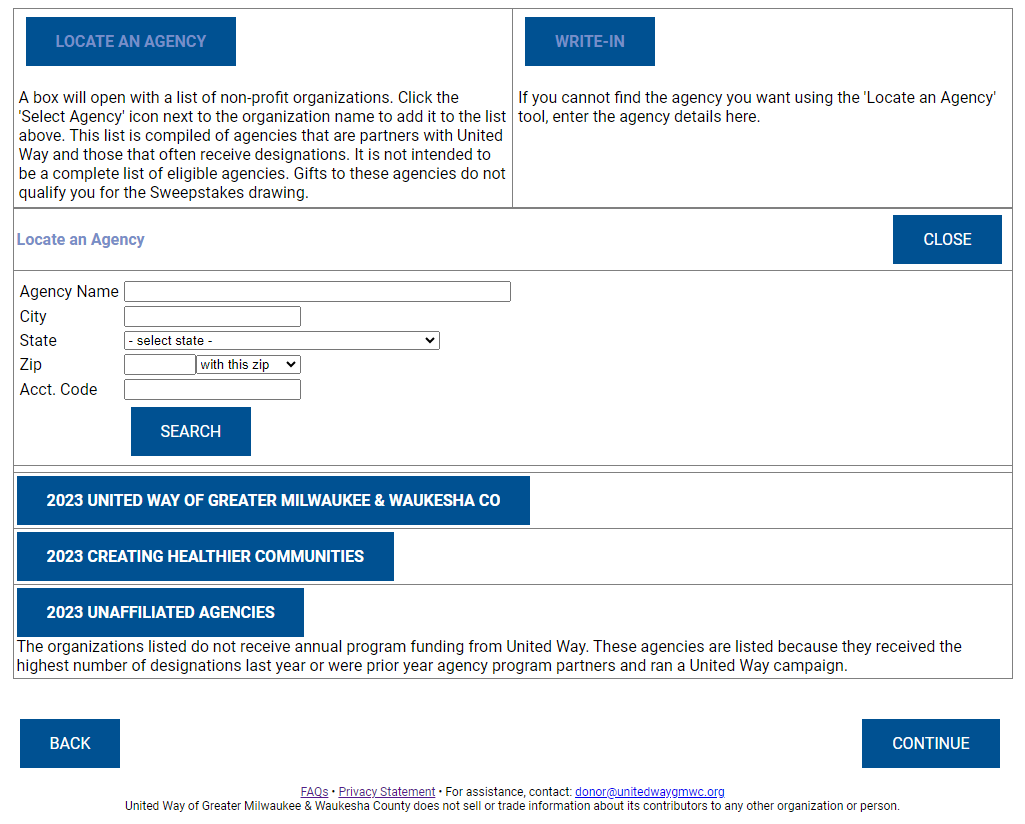
Agency lists are sorted alphabetically.
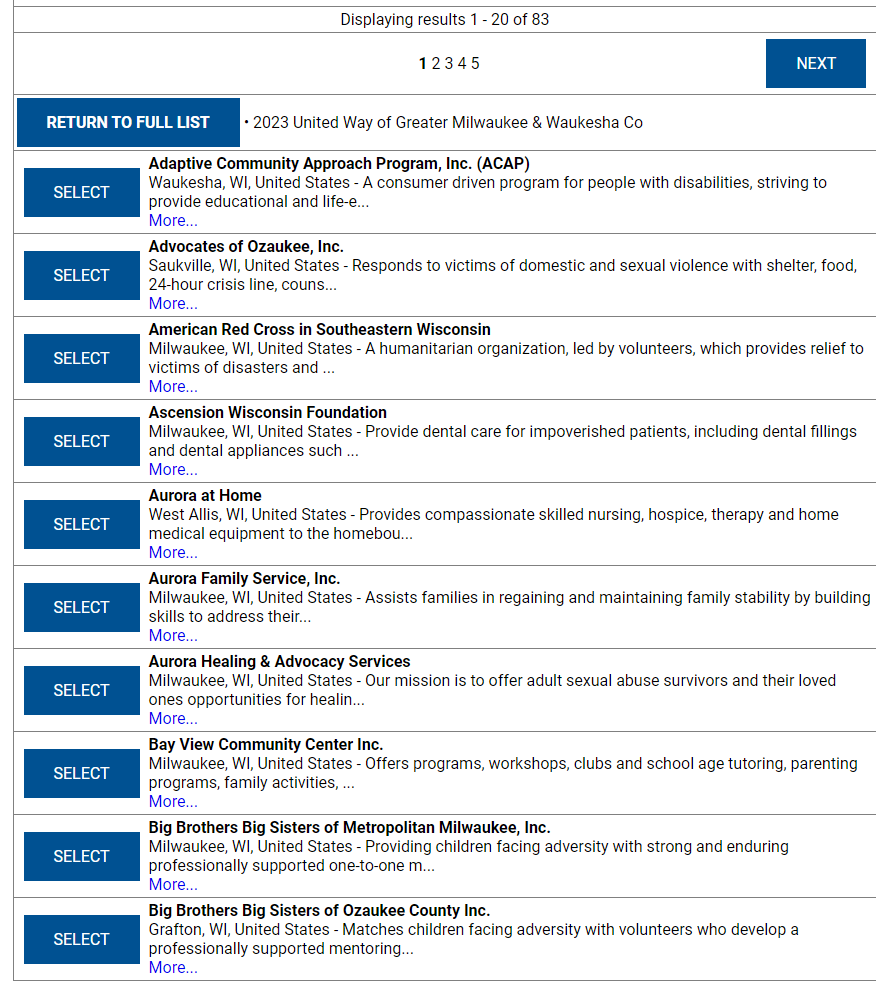
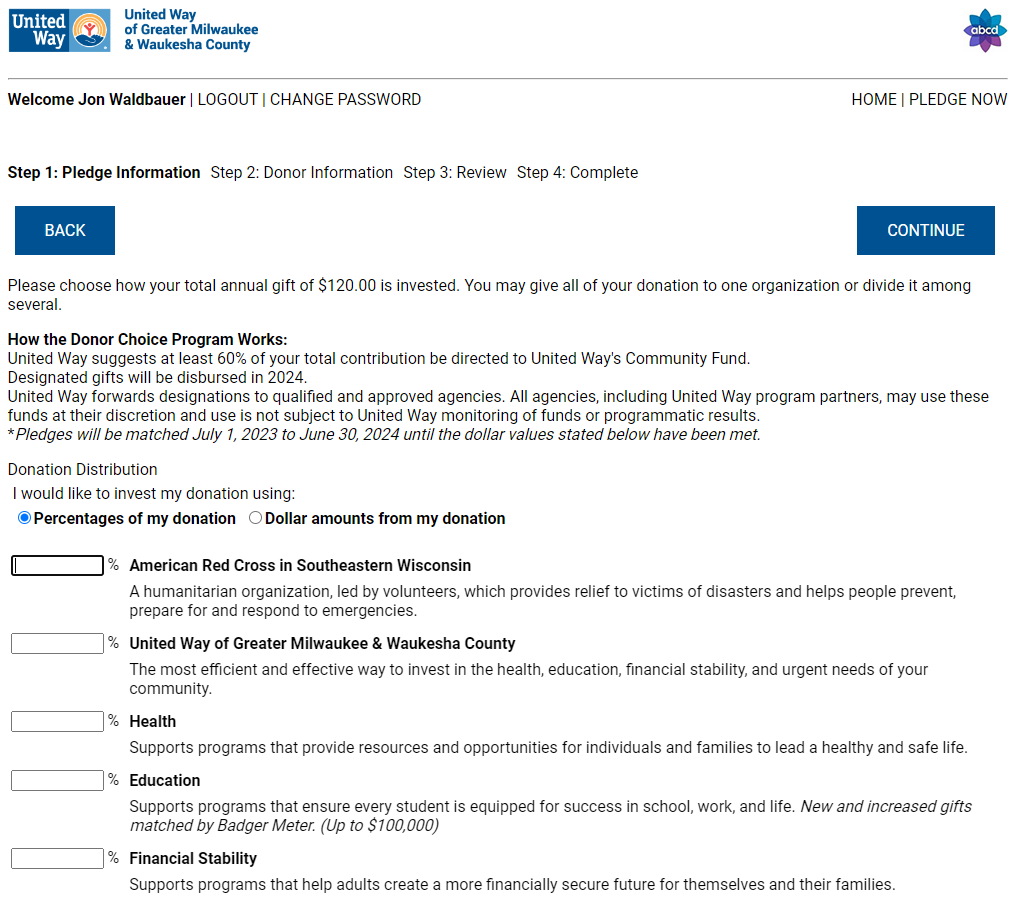
Click Select on the preferred organization, and the profile will be sorted to the top of the designation page.
Write-In
If you'd like to designate your pledge to an organization that is not an United Way Agency Partner, CHC, or a popular agency that is not affiliated with the United Way, scroll to the bottom of the page and click Write-In.
Enter as much information about your preferred organization as you can. United Way's Pledge Processing Department will vet the organization provided to process the payment. If the pledge cannot be directed to the Write-In agency, United Way will contact the donor directly.
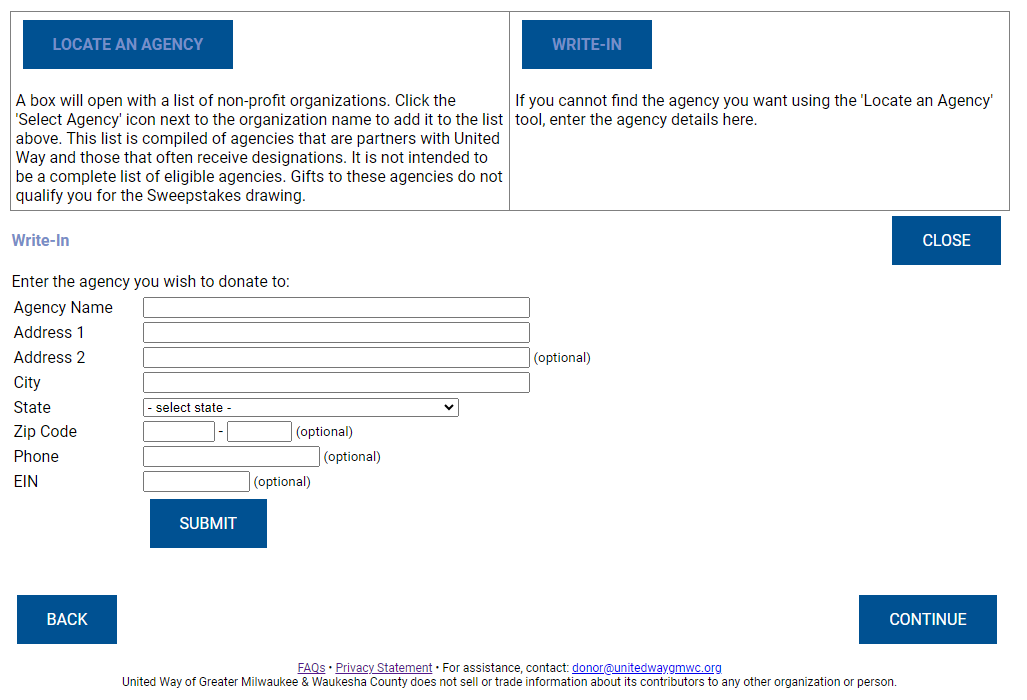
When you have entered your preferred organization's information, click Submit. Then click Select, and the profile will be sorted to the top of the designation page.
Once the user has identified how they would like to designate their pledge, they can allocate their pledge by percentage of pledge or by dollars. The site will add up allocations and will not allow the user to continue to the next page if the pledge is not allocated to its total amount.
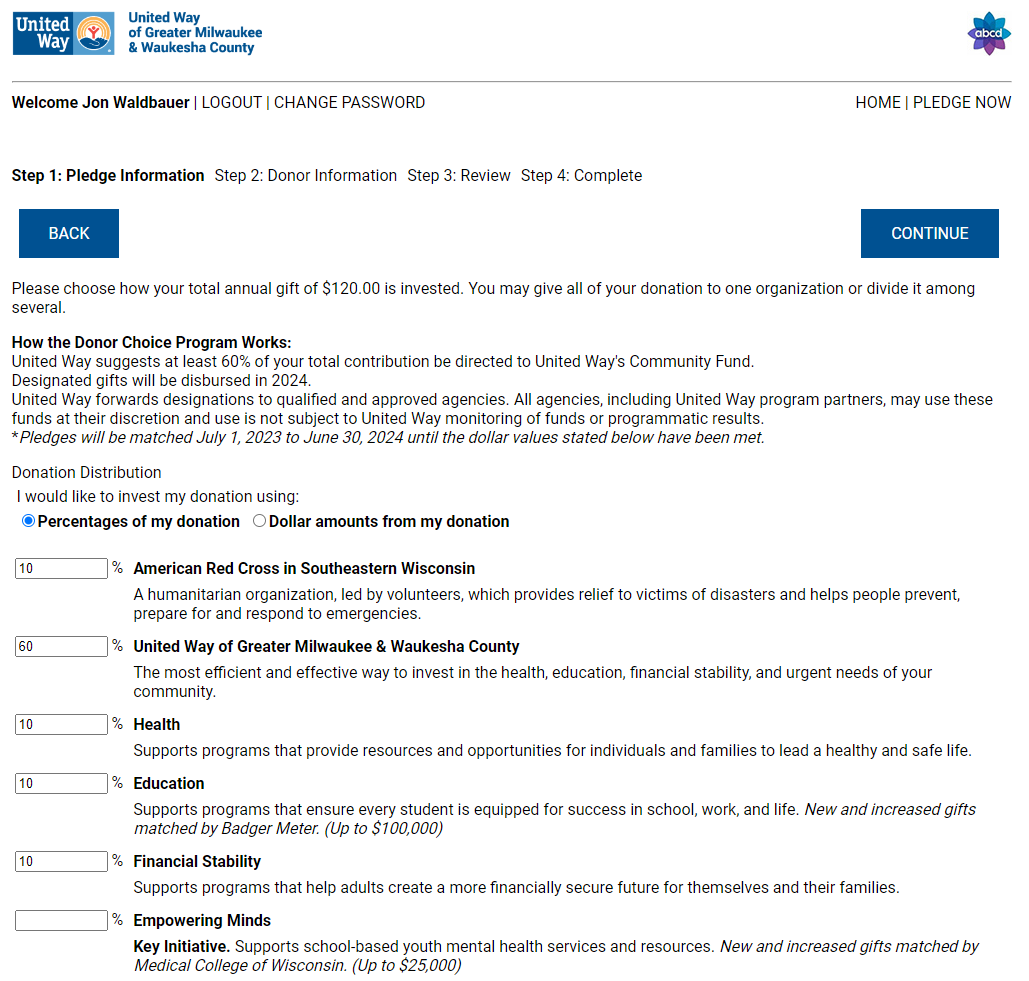
After confirming their pledge, the donor will continue to Donor Information.
8. Donor Information
Before completing their pledge, the user can fill in personal information, including selecting a Donor Network if their gift qualifies.
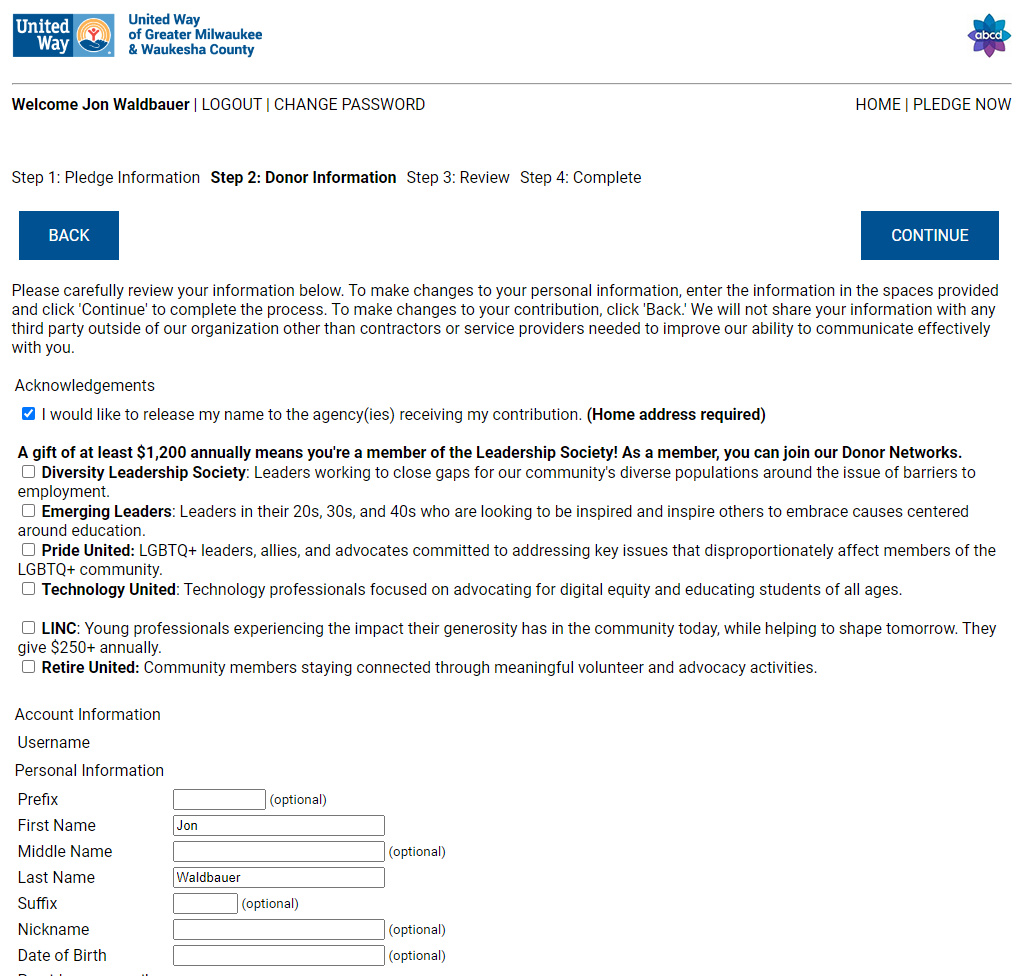
After clicking continue, the user will complete the pledge process.
The donor may log back into the site using their updated credentials to review their giving history, edit their pledge, or make an additional pledge for the duration of the workplace campaign depending on their workplace's preferences.
9. Confirmation
On-Screen Confirmation of Your Pledge
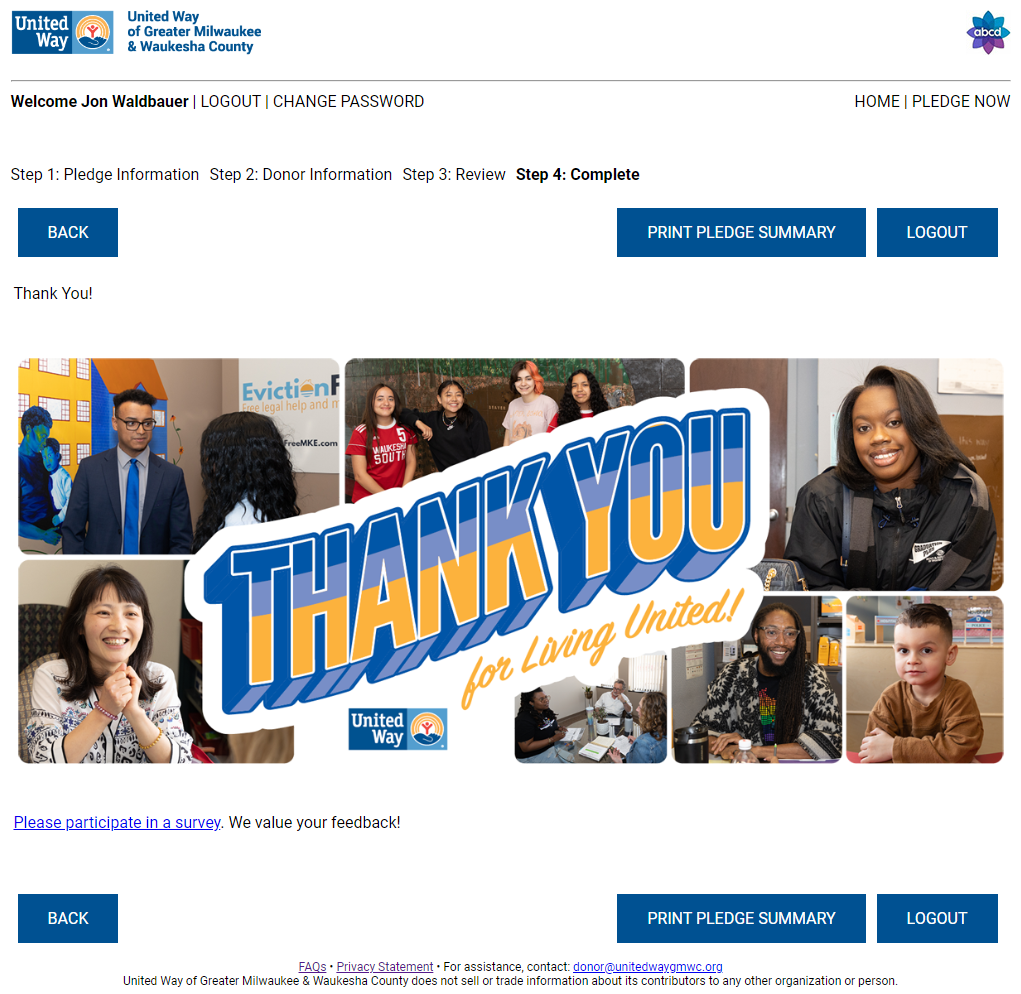
Donors will see a Thank You screen upon finalizing their pledge and are encouraged to take our survey to offer feedback of their experience.
Confirmation Email
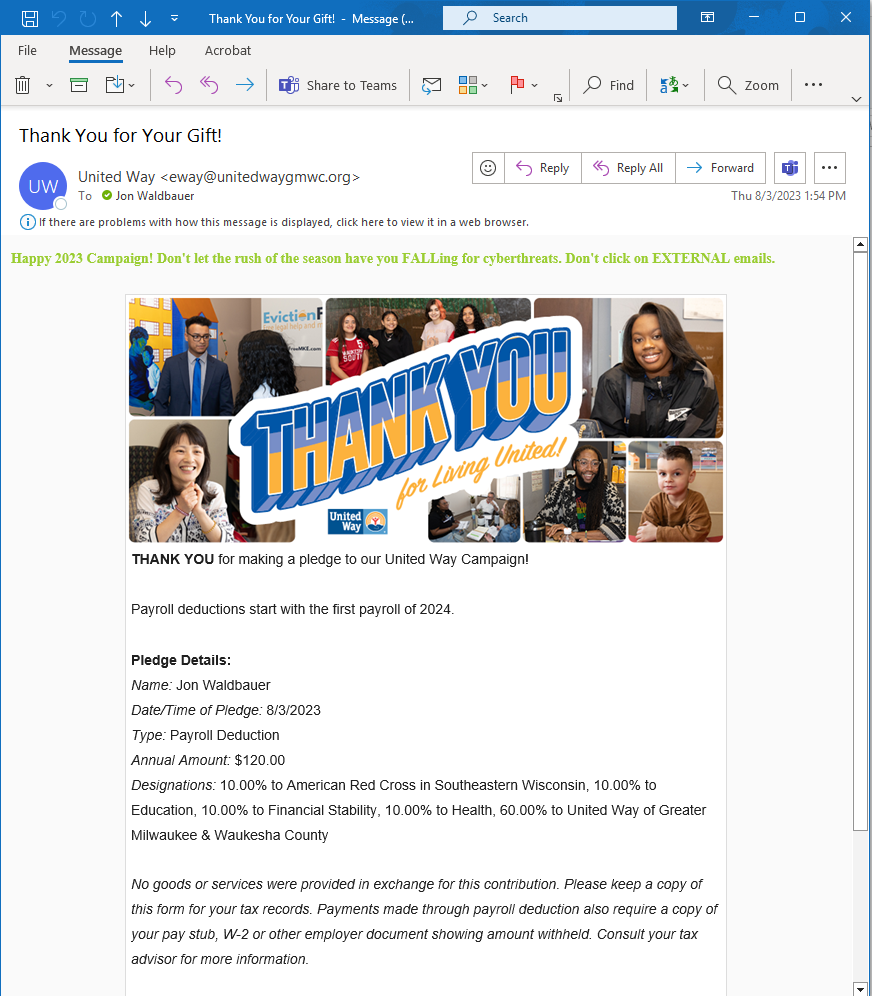
Donors will receive a confirmation email with full details about their pledge, including payment type and any designations.
* Tip - Donors are encouraged to keep their confirmation email for their tax information. Payments made through Payroll Deduction may also require a copy of your pay stub, W-2, or additional employer documentation. Please consult your tax advisor for more information.
10. Ambassadors
Dashboards
Ambassadors can work with their contacts at United Way to establish who has access to Dashboard reporting functionality within the eWay site.
* Tip - In the interest of protecting their organizations privacy and security, workplaces are encouraged to limit this permission to a select few individuals at a high level in the organization's campaign planning.
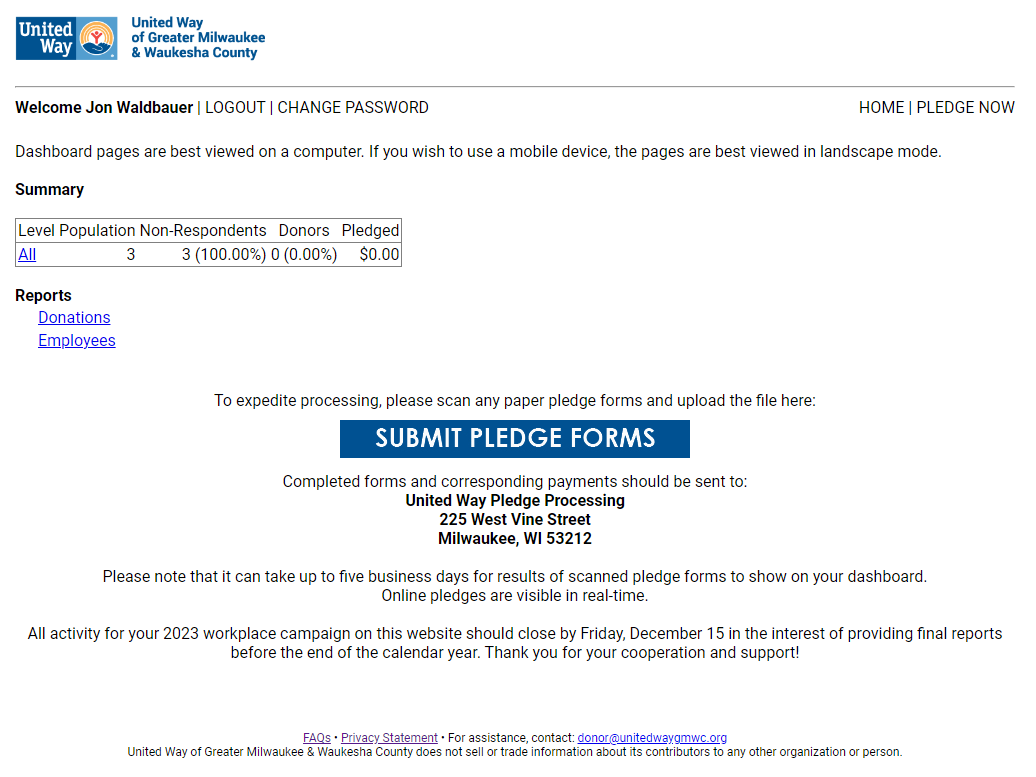
Users with Dashboard functionality will see the link in the top right of their screen below their workplace's logo.
Clicking on the link will open the Dashboard to show campaign progress. Ambassadors can view progress by clicking into the levels determined in by the workplace when setting up the campaign website, and reports can be run from the Dashboard accordingly.
Ambassadors that need to process paper pledge forms can scan them and upload PDFs via the link in the Dashboard.
Additional Questions
If you are a Donor with additional questions about your pledge, please contact the Donor Help Desk at donor@unitedwaygmwc.org.
If you are an Ambassador with additional questions about your campaign, please contact the Donor Services help desk via this form.